

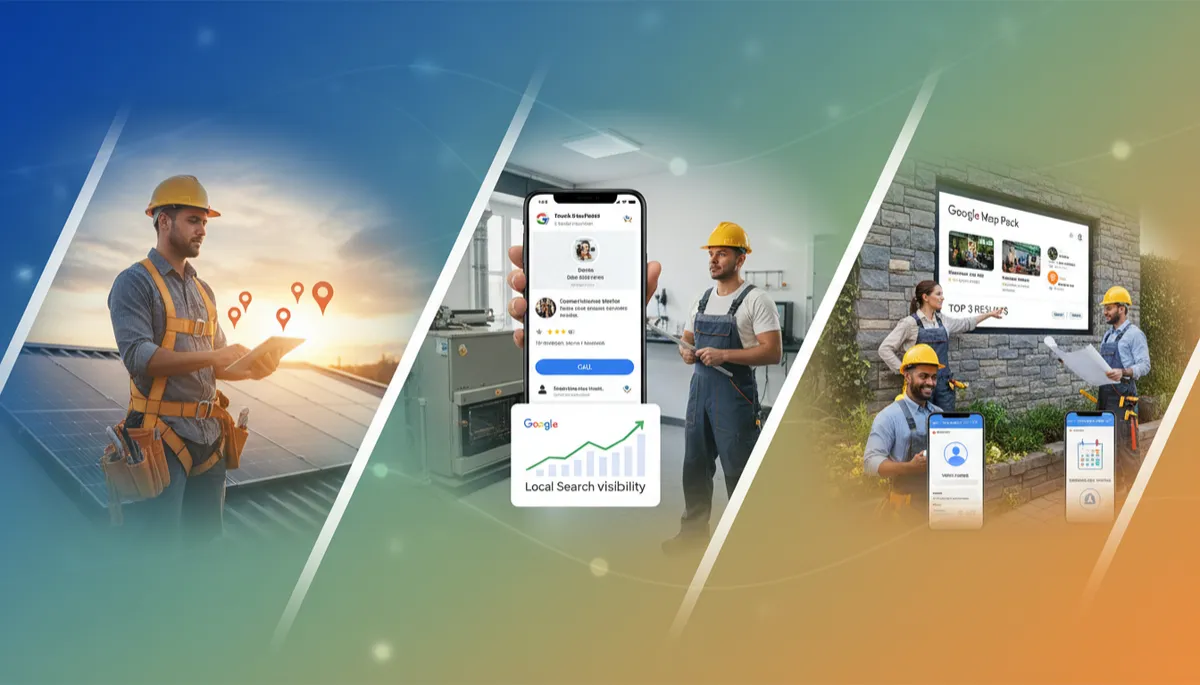
Contractor Marketing, Google Business Profile for Contractors, Local Search Optimization
How to Set Up Google Business Profile for Contractors (Step-by-Step)
If you are a roofer, HVAC tech, landscaper, plumber, electrician, or general contractor, your Google Business Profile is the most important free tool you have for getting local calls. This guide walks you through GBP setup step-by-step in plain language, so you can show up in Google Maps, get into the map pack, and turn “near me” searches into booked jobs.

Get Found First When Homeowners Search ‘Near Me’
Turn your Google Business Profile into a steady source of local calls
META_TITLE: How to Set Up Google Business Profile for Contractors (Step-by-Step) | Local Map Pack Guide
META_DESCRIPTION: Learn step-by-step how to set up and optimize Google Business Profile for contractors—roofers, HVAC, landscapers, plumbers, electricians—to rank in the Google Maps 3-pack and get more local calls.
Why Google Business Profile Is the #1 Free Tool for Getting Local Calls
When a homeowner searches “roofer near me” or “emergency plumber,” they are not browsing for fun. They are ready to hire. In 2026, about 46% of all Google searches have local intent, and “near me” searches keep growing every year. Research shows that 76% of people who do a local search visit a business within 24 hours, and many of them call straight from Google Maps or the business listing on their phone.
Your Google Business Profile (GBP) is the box that shows your business name, phone number, reviews, photos, and map location on Google Search and Google Maps. For contractors, this is your new front door. You can get calls, messages, website visits, and driving directions from this one free profile—without paying for ads. According to Google’s own data, verified business profiles are seen as 2.7 times more reputable by customers, and other studies show that 35% of profile views turn into website clicks, 16% into direction requests, and 9% into direct phone calls (SchedulingKit, 2026).
The surprising part: only about 35% of small businesses have even claimed their Google Business Profile (WiserNotify, 2026). That means most of your competitors are leaving money on the table. If you set up and complete your contractor Google listing the right way, you can stand out fast—especially in trades where many owners are still relying only on word of mouth or yard signs.
Step 1: Create, Claim, or Find Your Contractor Google Listing
Before you can do any GBP setup, you need to either create your listing or claim the one Google already made for you. Google often auto-creates listings from public data, so your business may already exist on Maps without you knowing it.
- Go to business.google.com and sign in with a Google account you control (not a random employee’s email). This account will own your profile.
- Click “Add your business to Google.” Start typing your business name (for example, “Smith & Sons Roofing”). If you see your business in the dropdown, select it. If not, choose the option to create a new business.
- If Google shows an existing listing and asks you to request access, follow the steps. You may need to prove you are the owner. This prevents fake listings and spam.
Step 2: Choose the Right Business Type and Categories
Contractors often work at customers’ homes, not at a storefront. Google handles this with “service area businesses.” During GBP setup, Google will ask if you have a location customers can visit. Answer honestly:
- If you have a shop or office where customers sometimes come (for example, a showroom), choose “Yes” and enter your address. You can also set a service area.
- If you only go to customers, choose “No” and set your service areas (cities or ZIP codes). Your address will be hidden from the public, but Google still uses it to understand where you are based.
Picking the Best Primary and Secondary Categories
Categories are one of the strongest ranking signals in local search optimization. Studies show Google Business Profile signals (including categories) make up about 32–36% of local pack ranking factors (Whitespark & SchedulingKit, 2026). You must pick a primary category that matches your main trade, and then add secondary categories for your other services.
- Roofers: Primary: “Roofing contractor” | Secondary: “Gutter cleaning service,” “Siding contractor,” “Solar energy contractor” (if you install solar).
- HVAC: Primary: “HVAC contractor” | Secondary: “Air conditioning repair service,” “Heating contractor,” “Furnace repair service.”
- Plumbers: Primary: “Plumber” | Secondary: “Drainage service,” “Sewer service,” “Water heater installation service.”
- Electricians: Primary: “Electrician” | Secondary: “Electrical installation service,” “Security system installer,” “Lighting contractor.”
- Landscapers: Primary: “Landscaper” or “Landscape designer” | Secondary: “Lawn care service,” “Tree service,” “Deck builder,” depending on what you actually do.
Step 3: How to Verify Your Google Business Profile
Until your contractor Google listing is verified, you will not show up fully in search or on Maps. Google uses verification to make sure you are a real business at a real location, not a spam listing. In 2026, Google is much stricter, especially for home services, because of past abuse in categories like locksmiths and garage door repair.
Common Verification Methods for Contractors
- Postcard by mail: Google sends a postcard with a 5–6 digit code to your business address. It usually arrives within 5–12 days. Log back into your profile and enter the code to verify.
- Phone or text: Some businesses get instant phone or SMS verification. Make sure you can answer the phone number you entered when you click verify.
- Video verification: For many contractors, Google now requires a short video. You will walk around your shop, trucks, tools, signage, and show your address. Follow the on-screen instructions carefully and move the camera slowly so Google’s system can confirm you are real (MapsYMas, 2026).
Step 4: Fill In Every Field (Because Every Field Matters)
Businesses with complete Google Business Profiles get more views, more actions, and are much more likely to be seen as reputable. Yet in a 2026 study of 18.1 million listings, 39% had no website link and 10.1% had zero reviews (Crawlora, 2026). That is a huge missed opportunity. Do not leave blanks. Here is what to fill out and how:
Business Name (Do Not Keyword-Stuff)
Use your real-world business name, exactly as it appears on your truck, website, and invoices. Example: “Johnson Heating & Cooling”, not “Johnson Heating & Cooling – Best HVAC Contractor Denver.” Adding keywords to your name is against Google’s rules and can get your profile suspended or pushed down in rankings.
Address, Service Areas, and Phone Number (NAP)
Make sure your Name, Address, and Phone number (NAP) are correct and match your website and major directories (Yelp, Facebook, local chambers). Consistency is a big part of local search optimization. If you move shops or change numbers, update your GBP first, then update everywhere else to match.
Hours and Special Hours
Set your normal business hours. If you offer 24/7 emergency service, you can show that with attributes and in your description, but be honest. Use the “Special hours” feature for holidays or seasonal changes. Google tracks how often businesses update their info; active profiles tend to perform better.
Website, Booking, and Contact Options
Add your main website URL. Businesses that rank in the top 3 on Maps almost always have a website linked—about 89% of top-3 listings have one (SEO Bandwagon, 2026). If you have an online booking page or estimate form, add that link too using the “Appointments” field. Turn on messaging if you can respond quickly; Google now shows response rates, which can influence trust and engagement.
Business Description and Services (Use Plain, Keyword-Rich Language)
Your description should be 2–4 short paragraphs in plain language. Include what you do, who you serve, and where you work. Sprinkle in your main keywords naturally—no stuffing. For example:
“Family-owned roofing contractor serving Denver and the surrounding suburbs since 2008. We specialize in asphalt shingle replacement, storm damage repair, and gutter installation. Our licensed and insured team handles residential and light commercial projects, with emergency tarping available after major storms.”
Then, use the Services section to list each service you offer: “AC repair,” “Furnace tune-up,” “Panel upgrade,” “Patio paver installation,” and so on. Add short descriptions and prices if they are standard. This helps Google match you to more detailed searches, like “tankless water heater install near me.”
Step 5: How to Add Photos Properly (And Why They Matter So Much)
Photos are one of the fastest ways to build trust. Homeowners want to see your work, your team, and your trucks before they let you on their property. Profiles with strong photos also get more clicks and calls. In 2026, posts and photos together have been shown to boost calls and direction requests by several hundred percent (SchedulingKit, 2026).
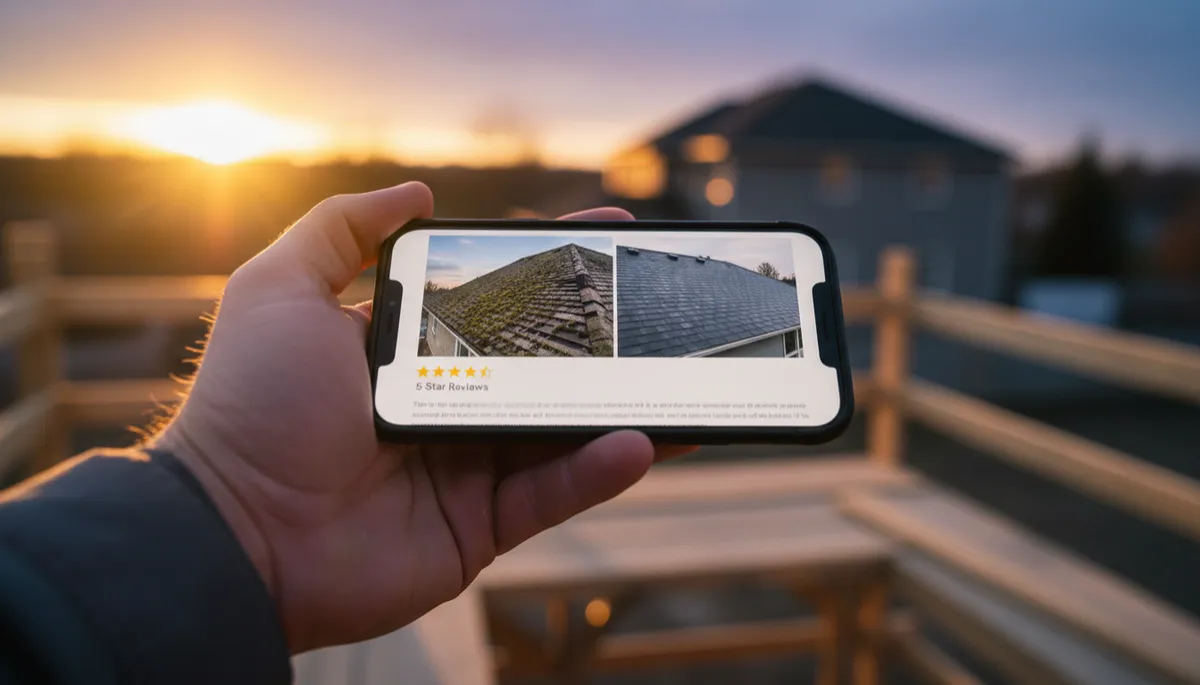
Real project photos and reviews make your listing feel safe and trustworthy.
Types of Photos Every Contractor Should Upload
- Logo: Clear, high-resolution version of your logo. This helps brand recognition across Maps and Search.
- Cover photo: A strong hero image—your crew on-site, a finished roof, a landscaped yard, or a clean service van with your branding. This is often the first image people see.
- Exterior & trucks: Show your shop (if you have one) and your vehicles with logos. This builds legitimacy and helps people recognize you when you arrive.
- Team photos: Technicians in uniform, wearing safety gear, smiling. People hire people, not logos.
- Before-and-after shots: Roof replacements, bathroom remodels, new panels, backyard transformations. Label them clearly in the captions.
Step 6: Getting Into the Map Pack (The Top 3 Results)
The “map pack” is the box of three businesses that shows up under the map when someone searches for a local service. This is prime real estate. Studies show that the businesses in these top positions usually have around 269 reviews, a 4.6-star rating, and a website (SEO Bandwagon, 2026). The pack is fairly stable week to week—about 73.9% of top-3 spots stay the same—but there is still room for new, optimized profiles to break in.
The Main Factors That Help You Rank in the Map Pack
- Relevance: Do your categories, services, and description match what the searcher typed? This is why proper GBP setup and service listing matters.
- Distance: How close are you to the person searching? You cannot control where people stand, but you can set an accurate service area and base your business in the city you want to rank in, if possible.
- Prominence: This includes your reviews, rating, website strength, and how active your profile is (photos, posts, responses). GBP-related signals are now the single largest category of local ranking factors, making up about a third of the total (Whitespark, 2026).
You cannot cheat your way into the top 3, but you can steadily climb by doing the basics very well: complete profile, consistent info, strong reviews, and regular activity. Most contractors in your market are not doing all of these, which is why there is still room to win.
Step 7: Post Weekly Updates to Stay Active and Visible
Google Posts are short updates that show on your profile: offers, news, project highlights, tips, and events. In 2026, Google even brought back post view counts, so you can see how many people actually view your posts (Google Small Business Bulletin, 2026). Active profiles tend to get more engagement and better visibility over time.
Simple weekly posts keep your profile active and remind Google you are open for business.
Easy Weekly Post Ideas for Contractors
- Project spotlight: “New 30-year architectural shingle roof completed in Westfield. Full tear-off, ice and water shield, and upgraded ventilation.”
- Seasonal tip: “Before the first freeze, drain your outdoor hose bibs to prevent burst pipes. Call us if you need help winterizing.”
- Limited-time offer: “10% off AC tune-ups booked this week. Mention this Google post when you call.”
- Hiring or announcements: “We’re hiring experienced journeyman electricians. Apply on our website.”
Step 8: Responding to Reviews the Right Way
Reviews are the new word of mouth. In 2026, 97% of shoppers read reviews before choosing a local business (WiserNotify, 2026). Yet only a small share of businesses reach the “strong reputation” level of 50+ reviews with 4.5+ stars (Crawlora, 2026). For contractors, that means if you build a healthy review profile and respond well, you will stand out fast.
How to Ask for Reviews (Without Being Pushy)
- After you finish a job and the customer is happy, say: “It would really help us if you could leave a quick Google review. I’ll text you a link.”
- Use your GBP “Ask for reviews” link (found in your dashboard) and save it as a text template. Have your office send it the same day the job is completed.
- Add the review link to your invoices, email signatures, and follow-up emails.
How to Respond to Positive and Negative Reviews
- Positive review example: “Thanks, Sarah! We’re glad we could get your heat back on before the cold snap. If you ever need anything with your system, just give us a call.”
- Negative review example: “Hi Mark, we’re sorry to hear about this experience. This is not the level of service we aim for. Please call our office at (555) 123-4567 so we can look into what happened and make it right.”
Step 9: Common Mistakes That Tank Your Google Maps Ranking
Many contractors set up a profile and then wonder why they still do not show up. Often, it is because of simple but serious mistakes. Here are the ones that hurt your contractor Google listing the most:
- Incomplete profile: Missing website, thin description, no services, or empty photo gallery. Remember, only a third of small businesses even claim their profile; if you go further and fully complete it, you are already ahead of most competitors.
- Fake business name or address: Adding “best” or city names into your business title, or using a fake address, can trigger suspensions. Google now uses AI to detect policy-violating edits faster than ever (Google Maps, 2026).
- Inconsistent NAP: Different names, addresses, or phone numbers across the web confuse Google. Pick one official version and fix the rest to match.
- Ignoring reviews: Not asking for reviews and not responding to them tells both Google and customers that you are not engaged. Businesses with more reviews and responses tend to dominate the map pack in most metros.
- Duplicate listings: Having two profiles for the same business or mixing your home and shop addresses can split your ranking power. If you have duplicates, work with Google support to merge or remove them.
Step 10: Use Insights and New 2026 Features to Keep Improving
Once your Google Business Profile for contractors is live and active, you can use Google’s built-in tools to keep improving results. In 2026, Google connected GBP data directly into Google Analytics 4 and the Gemini app, so you can see how many people view your profile, call, request directions, or visit your website (Google Small Business Bulletin, 2026; 9to5Google, 2026).
- Check your Insights monthly: Which searches trigger your listing? How many calls are you getting from Google? Are views going up or down?
- Use the Collected Info tab to see what data Google has gathered from calls or other sources, and correct anything that is wrong (BoostVA, 2026).
- Let Gemini or the AI assistant help you draft replies to reviews or ideas for posts if you are short on time—but always review and personalize them before publishing.
Quick Checklist: Local Search Optimization for Contractors on Google
- Claim and verify your Google Business Profile for contractors at business.google.com.
- Use accurate business name and address; set service areas correctly.
- Pick the right primary and secondary categories for your trade.
- Fill in every field: hours, phone, website, services, description, and attributes (such as “Veteran-owned,” “24/7,” or “Women-owned,” if applicable).
- Upload 20–30+ high-quality photos and keep adding more over time.
- Post weekly updates with photos and clear calls to action.
- Ask every happy customer for a review and respond to all reviews.
- Avoid spammy tactics—no fake names, fake locations, or fake reviews.
Contractors who invest in their Google listing win more of the map pack calls.
Want Us to Optimize Your Google Business Profile?
Book a free audit and we’ll review your GBP, your website, and your local rankings — then show you exactly what to fix.